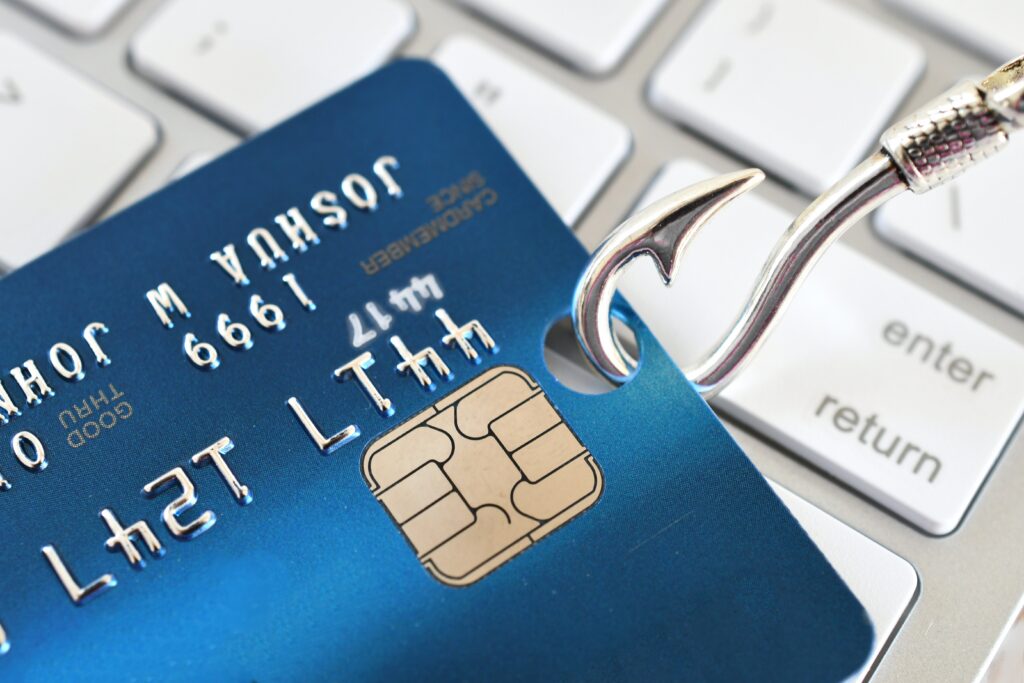
Phishing has changed. The clumsy “Dear Costomer” emails riddled with typos are still out there, but they are no longer the norm. In 2026, most phishing emails are drafted by artificial intelligence, which means they are fluent, well punctuated, and often reference real details about you, your employer, or a recent transaction. That is why the old advice, “look for bad grammar,” is no longer enough on its own.
What Is a Phishing Scam?
A phishing scam is a message, usually an email but increasingly a text or a phone call, that pretends to be from someone you trust in order to get you to hand over money, login credentials, or personal information. The message might look like it came from your bank, from Microsoft or Apple, from a delivery company, from the tax authority, from your employer’s IT team, or even from a family member. The goal is always the same: to make you click a link, open an attachment, or send information you would never send to a stranger.
Phishing has three close cousins worth naming, because you will meet all of them:
- Smishing is phishing by SMS or text message. Usually a package delivery notice, a bank alert, or a fake toll or parking fine.
- Vishing is phishing by voice call. Increasingly, the “voice” is generated by AI and cloned from a real person’s public recordings.
- Spear phishing is a phishing attack aimed at a specific named person, often using details scraped from LinkedIn, from a company website, or from a previous data breach. Spear phishing is what the “your CEO urgently needs” email is.
All four run on the same fuel: urgency and misplaced trust. When an email says “your account will be closed in 24 hours,” most people react before they think. That reaction is the entire attack.
What to Do If You Think You Clicked
Everyone misclicks eventually. What matters is what you do next. If you entered credentials, opened an attachment, or realized mid-click that something was wrong, take these steps immediately, in this order.
- Disconnect the device from the internet. Turn off Wi-Fi or unplug the network cable. This stops any active malware from communicating out.
- Change the password on the affected account. Do it from a different device if possible, using the service’s real website or app. Change any other account that shares the same password.
- Enable two-factor authentication if you have not already. Use an authenticator app (Google Authenticator, Microsoft Authenticator, Authy) rather than SMS where the option exists.
- Contact your bank if payment information was entered. Ask for the card to be frozen and re-issued.
- Report the incident. If it happened at work, tell IT immediately. Report to the FBI Internet Crime Complaint Center at ic3.gov, to the FTC, and to the California Attorney General’s identity theft unit at oag.ca.gov/idtheft.
- If you are a client of Mirador Law, please call us at (925) 515-5264 for confidential next steps. We will investigate further any data breach in coordination with our IT services vendor.
- Run a full malware scan. Use Windows Defender, Malwarebytes, or your existing antivirus.
- Watch your accounts and your credit for the next 90 days. Turn on transaction alerts. Consider a credit freeze with the major credit bureaus.
The single biggest mistake people make after clicking a phishing link is not saying anything, because they are embarrassed. Silence gives the attacker more time. Reporting fast is what limits the damage. Every IT department, every bank, and every legal team would far rather deal with a report of a suspicious click than the aftermath of a silent breach.
Tools That Block Phishing Before You See It
You do not have to rely only on your own vigilance. Several free and low-cost tools filter out most phishing before it ever reaches you. Layer them; no single tool catches everything.
Free protections everyone should have
- Turn on two-factor authentication (2FA) on every important account. Email, banking, social media, work accounts. Use an authenticator app rather than SMS where offered, because SMS can be intercepted through SIM-swap attacks. This alone stops most credential-based attacks even if you do click a phishing link and enter your password.
- Use a password manager. Bitwarden has a free tier that covers most people; 1Password is a strong paid option; the password managers built into iCloud Keychain, Chrome, and Firefox all work well and are free. Beyond generating strong unique passwords, a password manager will refuse to autofill your credentials on a fake site, which is often the first sign that something is wrong. If autofill does not trigger on a login page you visit often, look at the URL again.
- Enable browser phishing protection. Chrome, Edge, Safari, and Firefox all have Safe Browsing turned on by default. Do not turn it off. Keep the browser itself updated.
- Use a filtered DNS. Cloudflare 1.1.1.1 for Families and Quad9 both block known phishing and malware domains at the network level, for free. Change your device or router DNS once and you are protected across every app on that network. Setup takes five minutes.
- Turn on transaction alerts on every bank and credit card account. Alerts on every transaction, no matter how small, are the fastest way to catch a fraudulent charge before more follow.
Consumer paid tools worth considering
- Norton 360 combines antivirus, phishing protection, a VPN, dark-web monitoring, and identity theft alerts in one subscription. Good all-in-one choice for families. Roughly $50 to $100 per year depending on the tier.
- Malwarebytes Premium adds real-time protection and a web filter that blocks phishing sites in the browser. Around $45 per year for a single device.
- Guardio is a browser extension focused specifically on phishing and scam detection. Useful for less technical family members who spend most of their time in Chrome. Around $50 per year.
- Bitdefender Total Security consistently scores at the top of independent antivirus tests and includes strong anti-phishing filtering.
For small businesses across the Tri-Valley
- Microsoft Defender for Office 365 is included in most Microsoft 365 Business Premium plans and adds Safe Links, Safe Attachments, and impersonation protection to Outlook.
- Google Workspace Advanced Protection Program provides the equivalent for Gmail-based businesses, including hardware security key enforcement for high-risk accounts.
- IRONSCALES, Proofpoint, Mimecast, and Abnormal Security are enterprise-grade email security platforms that use AI to detect impersonation and business email compromise. Worth pricing out if your business handles customer funds, real estate transactions, or sensitive personal data.
- Security awareness training. KnowBe4 and Hoxhunt run simulated phishing tests against your own staff on a regular schedule, so you know exactly who needs coaching before an attacker finds out. One of the single highest-return security investments a small business can make.
- Establish a written wire-transfer verification policy. Every wire, no matter how routine, is verified by phone using a number on file before it is initiated. Every change to bank details is treated as a new wire and re-verified. Write this down, train new hires on it, and make it a firing offence to bypass it.
Free reporting and lookup tools
- VirusTotal lets you paste a suspicious URL or upload a suspicious file and scans it against dozens of antivirus engines. Free and safe to use for a single sanity check.
- Have I Been Pwned tells you whether your email address has appeared in a known data breach. If it has, change the password for that account and any other account that shared it. You can also register to be notified automatically the next time your address surfaces.
- URLScan.io is for the more technical: submit a suspicious URL and see a full sandboxed analysis of what it does when opened.
- Google Safe Browsing site check lets you paste any URL and Google will tell you whether it is a known unsafe site.
Mirador Law’s headquarters sits off of Willow Road in the Tri-Valley, and the families and small business owners we work with across Pleasanton, Dublin, and Livermore include retirees, working professionals, and closely held companies who have lost real money to a single well-crafted email. This guide is our answer to the question we get asked most: how do I recognize a phishing email, what do the common ones actually look like when they arrive, and what free or paid tools stop them from reaching me in the first place. It contains seven fully worked examples of the messages currently landing in inboxes, with the red flags annotated line by line so you can train your eye. Read it once, share it with anyone in your household who has an email address, and bookmark it. If you are ever in doubt about a message, come back here first.
The Six Red Flags That Almost Every Phishing Message Shares
You do not need to be a cybersecurity expert to spot a phishing email. Nearly every one contains at least two of the following six signals. If a message has any two of these, treat it as suspicious until proven otherwise.
1. Urgency or a threat. “Your account has been suspended.” “Confirm your identity within 24 hours or lose access.” “Final notice before legal action.” Real institutions rarely demand action inside a tight deadline over email. Urgency is the phisher’s most reliable tool because it short-circuits the pause that would otherwise catch the scam.
2. A sender address that does not match the sender name. The name in your inbox might read “Chase Bank” but the actual email address underneath is security-alerts@chas3-support.info or something similarly off. On a desktop, hover over or click the sender name to see the real address. On a phone, tap the name to expand it. This one check catches more phishing than anything else on this list.
3. A link that does not go where it says. The visible link might read www.paypal.com/login but hovering over it on a desktop shows a different destination in the bottom-left of your browser or email client. On a phone, press and hold the link (do not tap it) to preview the actual URL.
4. A request for information the sender should already have. Your bank knows your account number. Your employer knows your date of birth. If a message asks you to “confirm” details the sender already holds, that is a phisher fishing.
5. An unexpected attachment. Especially .zip, .html, .svg, .iso, .docm, or .xlsm files. Even a .pdf from an unexpected sender can be dangerous. If you were not expecting a file, do not open it, even if the sender name is familiar.
6. A slightly wrong domain. micros0ft.com (zero instead of the letter o), arnazon.com (r and n side by side to imitate the letter m), apple-verify.co, dropbox-securedocs.com. Attackers register lookalike domains that pass a quick glance. Read the domain carefully, one character at a time, before you click.
Two smaller signals worth adding: a generic greeting (“Dear Customer,” “Dear User,” “Dear Valued Client”) in a message that should know your name, and unusual times of day, especially messages arriving at 3am local time or over holiday weekends when your guard is down and support desks are closed.
Seven Phishing Messages, Annotated: What They Actually Look Like
Every year the specific pretexts change but the underlying patterns stay stable. Here are seven of the messages currently landing in real inboxes across the Tri-Valley, formatted the way they arrive, with the red flags flagged line by line. The email addresses and links are illustrative; do not visit them.
Example 1: The “package delivery” text (smishing)
FROM: +1 (445) 208-6631
TO: You
TIME: Sunday 11:47pm
USPS: Your package USPS9401111899223197428490 could not be delivered today due to an incomplete address. Please update your address within 12 hours to avoid return to sender.
Update here: https://usps-redelivery-hub.info/track
What is wrong with this:
- USPS does not text you from a random 10-digit mobile number. Their alerts come from short codes.
- The domain usps-redelivery-hub.info is not USPS. Real USPS tracking lives on usps.com and tools.usps.com. The .info top-level domain is a strong tell.
- The 12-hour deadline creates false urgency. USPS holds undeliverable mail for far longer.
- It arrived late Sunday night, when nobody is at a post office to verify.
- The tracking number looks plausible but is fake. Copy it into the real USPS site and it will not resolve.
What the fake page does if you click: asks for your name, address, and then a small “redelivery fee” of $1.99, harvesting your card number.
Example 2: The “Microsoft 365 password expiry” email
FROM: Microsoft 365 <no-reply@microsoft365-secure.help>
TO: you@yourcompany.com
SUBJECT: [Action Required] Your password expires in 24 hours
Dear User,
Our records indicate that the password associated with your Microsoft 365 account (you@yourcompany.com) will expire in the next 24 hours.
To avoid disruption to your email and Teams access, please verify your account below. Failure to do so will result in permanent account suspension.
[ KEEP CURRENT PASSWORD ]
Thank you,
Microsoft 365 Support Team
This is an automated message. Do not reply.
What is wrong with this:
- The sender domain is microsoft365-secure.help. Real Microsoft mail comes from @microsoft.com, @accountprotection.microsoft.com, or similar first-party domains. .help is not a Microsoft top-level domain.
- “Dear User” is generic. A real Microsoft alert about your account would use your name.
- The threat of “permanent account suspension” is not how Microsoft handles expired passwords. In reality your password prompt just appears when you next log in.
- The “[KEEP CURRENT PASSWORD]” button is the entire trap. It links to a pixel-perfect fake login page. Whatever you type is sent to the attacker.
- Hovering over the button reveals a URL like https://login-microsoftonline.securedoc-app.com/verify?u=…, which is not a Microsoft domain.
What the fake page does if you click: shows a login screen indistinguishable from the real Microsoft one. Once you enter your password, it is captured; the page then forwards you to the real Microsoft site so you assume the “verification” worked.
Example 3: The “wire transfer” business email compromise
FROM: Sarah Miller <sarah.miller.acme@gmail.com>
TO: accounts@acmecorp.com
SUBJECT: Quick favour – urgent vendor payment today
Hi,
Are you at your desk? I’m stuck in meetings all afternoon and can’t take calls, but I need you to process a payment to a supplier before end of day. New bank details below, they moved banks last week and I forgot to update the file.
Beneficiary: Northgate Supplies Ltd
Bank: First National Bank
Routing: 021000021
Account: 4847182201
Amount: $12,480.00
Reference: October supplier invoice
Please confirm once processed. This is time-sensitive and needs to go today.
Thanks,
Sarah
Sent from my iPhone
What is wrong with this:
- Sarah’s real email is smiller@acmecorp.com. This message came from a Gmail address that copies her name. Attackers often set up firstname.lastname.companyname@gmail.com addresses precisely because they look plausible on a phone.
- The pretext (“stuck in meetings, can’t take calls”) is designed to stop you from verifying by phone.
- Changing bank details is the single highest-risk request an attacker can make. That alone should trigger a phone call to Sarah’s mobile using a number you already have saved.
- “Sent from my iPhone” is a common trust-building signature. It costs nothing to add and it disarms people.
- Northgate Supplies may be a real vendor you have paid before, which makes the email feel legitimate. Attackers often research a target company’s public suppliers, press releases, or LinkedIn footprint to pick plausible names.
What happens if you send the payment: the money hits an attacker-controlled account, is moved within minutes to a second bank, and is usually irrecoverable within 48 hours. Business email compromise is one of the most costly categories of cybercrime in the world, with billions of dollars in reported losses every year across all industries.
Example 4: The “invoice” or “DocuSign” scam
FROM: DocuSign Electronic Signature <notify@docusign-securedelivery.net>
TO: you@yourcompany.com
SUBJECT: You have received a new document to sign
Sent to you by: Rebecca Alvarez, Meridian Consulting
Document: Invoice-9482-October.pdf
Message: “Hi, please find attached this month’s invoice for review and signature. Payment is due within 7 days. Thank you.”
[ REVIEW DOCUMENT ]
Powered by DocuSign. If you have questions, please contact the sender directly.
What is wrong with this:
- Real DocuSign notifications come from dse@docusign.net or dse_na3@docusign.net, not docusign-securedelivery.net. That domain was registered specifically for this campaign.
- You do not know Rebecca Alvarez and you have no relationship with Meridian Consulting. Legitimate DocuSign requests are almost always from someone you were expecting to send you a document.
- The “[REVIEW DOCUMENT]” button links to a fake login page that harvests your Microsoft, Google, or DocuSign credentials.
- Sometimes there is no login page and the button instead downloads a file called Invoice-9482-October.html which, when opened, runs a script that captures credentials or delivers malware.
- Variation to be aware of: the same scam runs under Adobe Sign, Dropbox, Google Drive, SharePoint, and OneDrive branding. If you did not expect a shared document, do not click. Log in to the service directly to check.
Example 5: The “delivery/duty fee” from a real courier lookalike
FROM: DHL Express <customer.service@dhl-parcels-delivery.com>
TO: you@example.com
SUBJECT: DHL Notification: Import duty payment required
Dear Customer,
Your international shipment (Tracking: 2340919287) has arrived at our sorting facility. Before we can release it for delivery, an outstanding customs duty of USD 2.99 must be paid.
Please settle this fee within 24 hours to avoid your parcel being returned to sender.
[ PAY USD 2.99 ]
DHL Express Customer Service
What is wrong with this:
- The domain dhl-parcels-delivery.com is not DHL. Real DHL mail comes from @dhl.com.
- “Dear Customer” instead of your name.
- Real customs duties are not billed for $2.99. The trivial amount is the point: it feels too small to be worth stealing, so people pay without thinking, and the attacker captures a full card number and billing address.
- The tracking number does not resolve on dhl.com.
Example 6: The “your boss urgently needs” gift-card scam
FROM: James Whitfield <j.whitfield.acme@outlook.com>
TO: employee@acmecorp.com
SUBJECT: Available?
Are you at your desk right now? I need a favour and I can’t talk on the phone, I’m about to go into a client meeting.
Let me know as soon as you get this.
James
Sent from my mobile
What is wrong with this:
- Outlook address instead of the company email. A senior manager would not switch to a personal account for an urgent work request.
- No specific ask yet. The first email is deliberately vague, designed to open a channel. The moment you reply “sure, what do you need?” the second message arrives asking you to buy $500 in Apple gift cards for “a client thank you” and to send the redemption codes back.
- The “can’t talk on the phone” line exists solely to block the one thing that would kill the scam: a two-second voice check.
What to do: reply from a different channel. Walk to your boss’s office, text their mobile using the number you already have saved, or ask a colleague to confirm they are actually in a meeting. Never buy gift cards on the strength of an email request. No legitimate work reason for gift cards has ever existed.
Example 7: The AI voice-cloning call (vishing)
INCOMING CALL: Unknown number
CALLER SAYS: “Hi, it’s Michael. Look, I’m in a bind. I need you to move $15,000 from the operating account to a supplier for a delivery tomorrow. I’ll email the payment details in a minute. Can you handle it?”
VOICE: Sounds exactly like your CEO or manager
CALLER ID: Spoofed to show the company’s main number
What is wrong with this:
- The voice is real-sounding because it was cloned from Michael’s public recordings: podcasts, panel talks, YouTube interviews, or even his company website video. Cloning a convincing voice now takes under a minute of audio.
- Caller ID is trivially spoofable. Do not trust the number displayed on your phone as proof of identity.
- Any request to move funds triggered by a phone call, no matter how familiar the voice, needs to be verified by calling the person back on a number you already have saved. Not the number that just called you.
What to do in the moment: stay calm, say “let me call you right back on your mobile,” hang up, and call the real number. If they did not just call you, you have caught the scam.
The Five-Second Check Before Any Click
If you take one thing from this guide, take this. Before you click any link, open any attachment, or take any action on an unexpected message, do these five checks. Together they take less than a minute and they catch nearly every attack.
- Read the full sender email address, not just the display name.
- Hover over every link and read the actual URL, one character at a time.
- Ask yourself: was I expecting this?
- Ask yourself: is the sender pressuring me to act fast?
- If any answer to the above feels off, do not click. Verify through a channel other than the one the message came in on.
Bookmark those five. Teach them to your family.
Extra Precautions for Anyone Handling Money or Sensitive Data
If your work involves customer funds, real estate transactions, payroll, employee records, or confidential business files, phishing is not an inconvenience, it is an existential threat. Business email compromise and wire fraud losses run into the billions of dollars annually, and most incidents begin with a single phishing email or a single cloned voice call.
Adopt these habits without exception, and enforce them across your team:
- Verify every payment instruction by phone, using a number you already have on file, before you initiate or change any transfer. Not the number in the email. Not the number the caller gave you. The number in your own records.
- Treat any change of banking details as a wire in its own right. Same verification, same call-back.
- Never send account numbers, dates of birth, ID copies, or customer identifiers by unsecured email. Use an encrypted portal or an established secure file-transfer service.
- Assume any unsolicited attachment is hostile until proven otherwise. Confirm out of band before opening.
- Turn on transaction alerts on every operating account, so an unauthorised transfer is visible within minutes rather than at month-end.
- Keep operating systems, browsers, and email clients patched. Most exploited vulnerabilities have patches available months before they are used in attacks.
- Segregate customer and client funds from operating accounts, and require dual authorisation for any transfer over a defined threshold.
- Restrict who can change vendor payment details in your accounting system, and log every change.
- Train staff on voice cloning. Make it a firm rule that any funds movement triggered by phone requires a call-back, no matter whose voice was on the line.
- Buy cyber liability insurance and read the policy carefully. Many policies exclude losses from wire fraud that was authorised by an employee, even if the authorisation was tricked. Riders for social engineering fraud are worth the premium. Mirador Law reviews cyber liability policies for business clients across the Tri-Valley and can flag the exclusions that catch most companies out before you need to file a claim. Call (925) 515-5264 to book a policy review.
This article is general information about online security and is not legal or cybersecurity advice tailored to your particular situation. Example email addresses, phone numbers, company names, tracking numbers, and account details in this article are illustrative and do not correspond to real accounts, real companies, or real individuals. The sooner you act, the more your legal team can do to help you contain the damage, coordinate with your bank and law enforcement, protect your disclosure obligations, and preserve your options for recovery.